
No-shows quietly eat away at your fitness business. Every missed session means lost revenue, wasted staff time, and missed opportunities to serve your community.
But you can stop that slow leak when you automate client reminders. It’s one of the simplest, most effective systems any gym owner can set up to save money and strengthen the client experience.
Think about this: If one training session costs $60 and just two clients skip per week, that’s $120 gone. Multiply that by four weeks, and you’re losing nearly $500 a month. Over a year, it’s $6,000, which you could use to upgrade equipment, run a new ad campaign, or pay a coach bonus.
Now add the hidden costs. No-shows throw off your schedule, drain energy from your coaches, and mess with momentum. They also send a subtle message to other clients: “It’s OK to skip.”
That’s why it’s so important to automate client reminders. It fills up the calendar, but it also creates structure and accountability.
Manual vs. Automated Reminder Systems
Let’s compare the two approaches.
If you rely on sending out manual reminders. Then that means your front-desk staff or a coach has to text, email, or call every client.
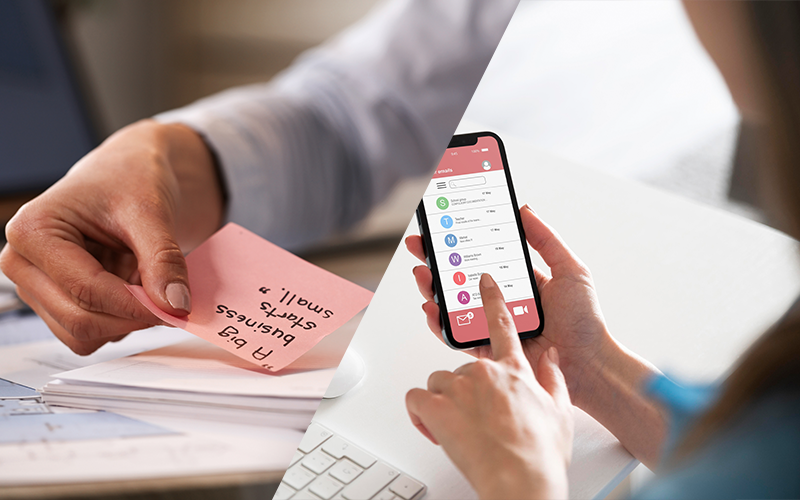
Maybe it’s the night before, maybe an hour before. Someone always has to remember. Messages get rushed or inconsistent. Some clients are missed entirely. And there’s no easy way to track who confirmed or canceled.
When you automate client reminders, all that friction disappears. The system handles timing, personalization, and tracking for you. You set the rules — like sending a text 24 hours before, a second nudge two hours before — and it runs automatically.
Automation ensures every client gets the same professional, friendly message. It records confirmations, flags non-responders, and even links directly to your rescheduling options.
That’s consistency you can’t achieve manually, especially as your schedule fills and your team grows.
How to Automate Client Reminders Effectively
Setting up automation is simple. Here’s how to make it work for your business:
- Choose the right timing. Most gyms see the best results with one reminder the day before and one a few hours before. Experiment to find what works best for your folks.
- Personalize the message. Even automated, it should sound human. “Hey Sarah, we’re excited to see you tomorrow at 4 p.m. with Coach Mike!” feels warmer than a flat, robotic “Reminder: Session at 4 p.m.”
- Ask for confirmation. When you automate client reminders, include a “Reply YES to confirm” or “Click here to reschedule” option. This cuts down on no-shows.
- Integrate your scheduling software. The best systems (like Naamly) sync directly with your bookings so every new appointment triggers a reminder automatically.
- Track the data. Your reminder system should show who confirms, cancels, or ignores messages. These valuable insights improve retention.
Once you build this system, it runs quietly in the background, saving you hours every week and helping to keep attendance high.
Why Automation Pays Off Financially
Let’s break down the math.
If your gym runs 100 sessions per week at $50 each, that’s $5,000 in potential revenue. With an 8 percent no-show rate, you lose $400 per week, over $1,500 a month.
By using automation to cut that rate in half, you’d recover about $800 a month. Over a year, that’s almost $10,000 back in your pocket, all because you decided to automate client reminders instead of relying on manual messages.
That doesn’t even include the savings in labor. If someone on your team spends an hour or two a day texting clients, that’s valuable time they could spend coaching, following up on leads, or improving the member experience. Automation handles those repetitive tasks perfectly, 100 percent of the time.
How Naamly Makes It Simple
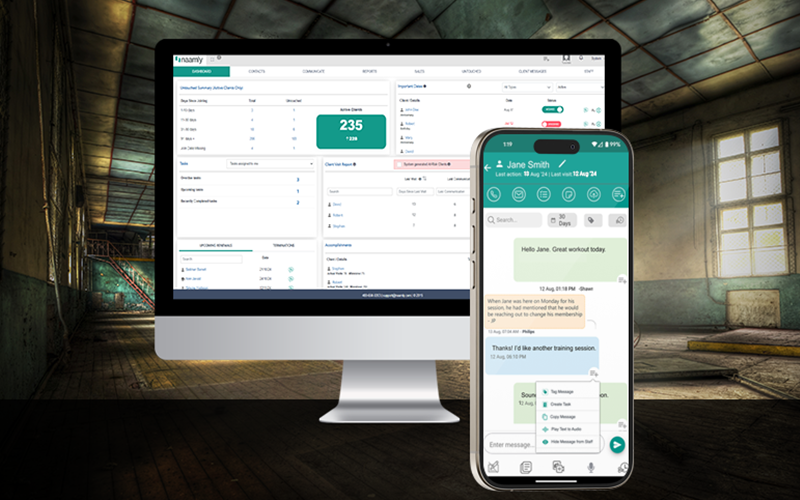
Naamly is built for fitness businesses that want to improve communication and client engagement. With Naamly, you can automate client reminders through text, email, or push notification, all personalized with the client’s name, session type, and trainer.
It syncs directly with your existing scheduling platform, so reminders go out automatically based on real-time bookings. No double entry, no missed messages, no manual copying from spreadsheets.
You decide the timing and tone, and Naamly handles the rest. Clients can confirm, cancel, or reschedule in one tap, and you can track those actions from your dashboard.
When you automate client reminders through Naamly, you get:
- Consistency across every coach and location
- Accurate attendance data
- A polished, professional experience for clients
- More time for your team to focus on people instead of paperwork
The Client Experience Boost
Reducing no-shows is about more than just money. It also boosts reliability and respect for your staff and other clients.
When clients receive friendly reminders, they feel valued and cared for. They know you’re organized and paying attention. That kind of professionalism strengthens trust, and trust leads to retention.
When you automate client reminders, you’re elevating communication. Clients see that you’re proactive and invested in their success. That small touch can turn a casual member into a loyal advocate who shows up consistently and refers friends.
Common Objections — and Why They Don’t Hold Up
“Automation feels impersonal.”
Only if you make it impersonal. The best systems let you write messages in your own voice. Add names, emojis, or friendly language, and whatever fits your brand.
“I don’t have time to set that up.”
You don’t have time not to. Setting up a workflow to automate client reminders takes an hour or two. After that, it saves dozens of hours and thousands of dollars over the year.
“My staff already sends reminders manually.”
That’s great, but it’s not scalable. Human reminders are inconsistent and costly. When you automate client reminders, every client gets the same professional message, every time.
From Reactive to Proactive
Most gym owners only realize how much they lose from no-shows when they start tracking it. Automation flips the mindset from reactive (“Why didn’t they show up?”) to proactive (“Here’s how we’ll prevent it.”).
Naamly gives you that control. You can monitor attendance trends, view confirmation rates, and identify which clients need extra support. When you automate client reminders, you stop leaving things to chance. It’s how you start operating like a true professional service business.
Quick Start Checklist
- Audit your no-show rate. How many missed sessions in the last month? What’s the dollar value?
- Map your communication flow. Decide how many reminders to send and when.
- Write friendly, branded messages. Keep them short and positive.
- Set up automation in Naamly. Connect your schedule, create your templates, and launch your workflow.
- Monitor and refine. Watch your no-show rate drop and your client satisfaction rise.
You’ll likely see measurable results within the first few weeks.
The Bottom Line
No-shows are one of the easiest problems to fix in your fitness business. All it takes is a decision to automate client reminders and let technology handle what humans often forget.
When you automate client reminders, you:
- Save time and labor
- Recover lost revenue
- Improve the client experience
- Strengthen accountability and consistency
Naamly helps you make it happen with simple setup, smart integrations, and clear reporting that keeps your business running smoothly.
Your team shouldn’t spend hours each week texting clients. Let Naamly automate client reminders so you can focus on what matters most: coaching, connection, and growth.For more priceless tips on growing your gym, get our free “9 Secrets to Increase Retention.”